How to Replace the Battery in a Toyota Corolla Key Fob: Step-by-Step Guide
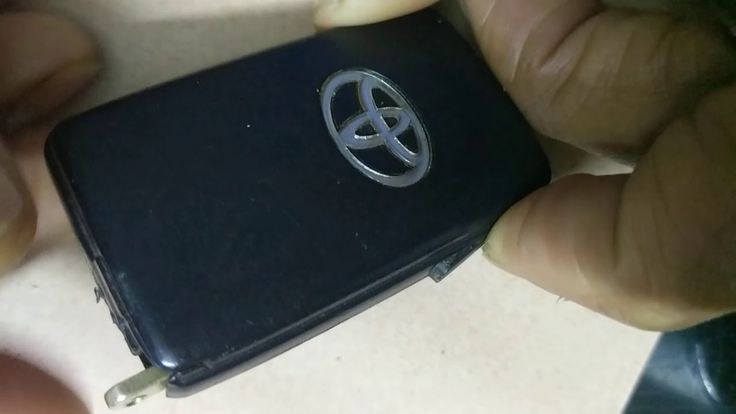
Replacing the battery in your Toyota Corolla key fob is one of the most straightforward maintenance tasks a car owner can perform, yet it is often overlooked until the remote suddenly fails. The process is quick, requires minimal tools, and can save you the inconvenience of being locked out or unable to arm your vehicle remotely. Modern key fobs for models years 2015 and newer typically utilize a CR2032 3V lithium coin cell, while older generations may rely on a standard 12V battery, although the CR2032 is the most common specification across the Corolla lineup.
Signs You Need a Battery Replacement
Knowing when to replace the battery prevents frustrating situations where you are stranded without access to your vehicle. The most obvious indicator is a complete loss of functionality when pressing the lock or unlock buttons. However, there are subtler signs that present themselves earlier, such as needing to press the button multiple times for the remote to respond or observing a significantly reduced range where the fob only works when right up against the car door.
Another telltale sign is the dashboard warning light; if you see a key icon or a message regarding the key battery, it is time to act. Ignoring these symptoms can lead to a complete shutdown of the remote, which might leave you stranded if you are relying on the keyless entry system in a parking lot or at night. Fortunately, the fix is a simple procedure that takes less than five minutes to complete.


Gathering Your Tools
You do not need a mechanic’s toolkit to replace the battery in a Toyota Corolla key fob; in fact, you likely have everything you need already sitting on your kitchen counter. The primary requirements are a fresh CR2032 3V lithium battery, which is readily available at pharmacies, grocery stores, or hardware stores, and a small precision screwdriver or a sturdy coin like a quarter.
While a screwdriver is helpful for prying open some models, many Toyota key fobs are designed to be opened with your bare hands. If you choose to use a tool, ensure it is a plastic pry tool to avoid scratching the delicate outer casing of the remote. Having a clean, flat workspace will also make the process smoother, ensuring that the tiny battery does not roll away and get lost.


Step-by-Step Replacement Guide
The following steps outline the standard procedure for accessing and replacing the battery. It is crucial to follow these directions carefully to avoid damaging the internal circuit board or the delicate contacts.
| Step | Action |
|---|---|
| 1 | Locate the small sliding button on the back of the key fob. |
| 2 | Use a fingernail or a coin to slide the cover latch in the direction indicated. |
| 3 | Carefully separate the key fob into two halves: the keychain side and the remote side. |
| 4 | Remove the small metal retainer clip holding the battery in place. |
| 5 | Take note of the battery orientation; the positive side (marked "+") usually faces up. |
| 6 | Insert the new CR2032 battery with the positive side facing up. |
| 7 | Reattach the retainer clip and snap the two halves of the fob back together. |
Important Considerations and Tips
While the physical replacement is simple, there are critical electrical nuances to be aware of. Toyota key fobs contain a delicate circuit board and a rubber button cover that should not be aggressively cleaned or pressed during the battery swap. When separating the two halves of the fob, apply pressure evenly to the sides; do not pull on the keychain holder or the internal wires, as this can cause irreversible damage.
Additionally, if your key fob contains a traditional metal key, you must first remove it before accessing the battery compartment. It is also good practice to test the new battery on a flashlight or calculator before installing it in the fob to ensure it is fully charged. Once reassembled, test the range of the fob outside the vehicle to confirm that the security system recognizes the new power source.


Why This Maintenance Matters
Maintaining a functional key fob is about more than just convenience; it is a safety and security issue. A dead battery means you cannot remotely lock or unlock the doors, which is a basic feature designed to protect your investment. Furthermore, in modern Toyota Corollas, the key fob often integrates with the push-button ignition system; if the battery dies completely, the vehicle may not recognize the key, preventing the engine from starting even if you are sitting inside the driver’s seat.
Regularly checking the battery life—especially when you notice a drop in range—ensures that you are never stranded due to a simple power issue. By performing this quick battery swap, you preserve the integrity of the vehicle’s security system and maintain the seamless driving experience Toyota is known for.


Related Articles
How to Replace the Battery in a 2015 Toyota Camry Key Fob: Easy Step-by-Step Guide
For the 2015 Toyota Camry owner, the key fob is more than a piece of plastic; it is the digital bloodline to your vehicle. When the reassuring chirp of the...
How to Change Key Fob Battery for Toyota Corolla: Step-by-Step Guide
For the Toyota Corolla owner, the key fob is more than a piece of plastic; it is the digital handshake that grants access and starts the engine. When the...

2019 Toyota Corolla Battery Price: Cost Guide & Replacement Tips
Understanding the Toyota Corolla 2019 battery price is essential for any owner looking to maintain their vehicle's reliability. The 1.8-liter model, standard...

How to Replace the Battery in a Hyundai Key Fob: Step-by-Step Guide
Replacing the battery in your Hyundai key fob is a straightforward process that can save you a trip to the dealership and restore the convenience of your...

How to Replace the Alternator on a 2001 Toyota Sequoia: Step-by-Step Guide
Replacing the alternator on a 2001 Toyota Sequoia is a standard maintenance task that becomes necessary when the original component fails. This vital part of...

How to Replace the Battery in a 2015 BMW Key Fob: Easy Step-by-Step Guide
Replacing the battery in a 2015 BMW key fob is a straightforward task that saves time and money compared to visiting a dealer. The 2015 model typically uses a...