How to Replace the Battery in a Toyota Highlander Key Fob: Easy Step-by-Step Guide
Replacing the battery in your Toyota Highlander key fob is a straightforward process that can save you a trip to the dealership. The key fob for your Highland, whether it’s a standard key fob or a smart key, relies on a small coin cell battery to function. When the battery begins to die, you might notice the fob is less responsive, or the dashboard displays a key battery warning. This guide will walk you through the entire process, ensuring you can get back to securing your vehicle without delay.
Identifying Your Key Fob Model
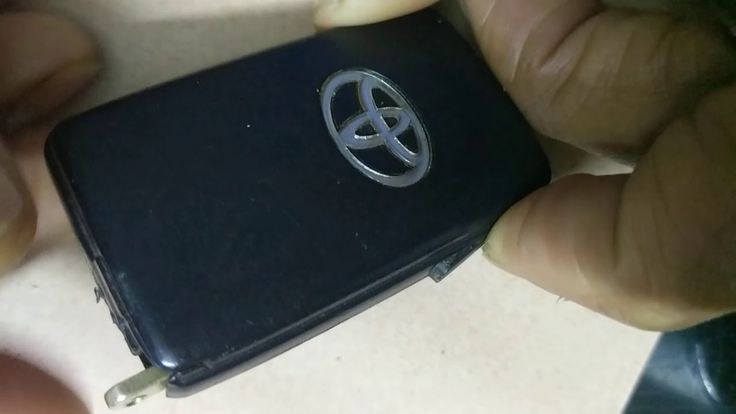
Before you begin, it’s important to identify which model of key fob your Highlander uses, as the procedure varies slightly. Many older Highlanders use a traditional key fob that separates from the keychain, while newer models may utilize a smart key with an integrated design. Look at the physical key fob; if it has a mechanical key blade that pops out, you are working with a standard fob. If the key is sleek with a button to reveal a hidden key, you are likely dealing with a smart key that requires a different approach to battery access.
Tools Required for the Job
Gathering the right tools ensures a smooth and efficient battery replacement. You do not need a professional toolkit for this task, but having the correct items prevents frustration. The primary tool is a small, flat-head screwdriver or a specialized battery replacement tool often included with the new battery. Additionally, a thin piece of plastic or a coin can be useful for prying open the fob casing without causing damage.


Step-by-Step Replacement Process
With your tools ready, you can proceed with the replacement. The goal is to safely open the key fob housing to access the battery compartment. It is crucial to perform this step carefully to avoid cracking the plastic shell or damaging the internal circuitry. Follow these steps precisely to maintain the integrity of your key fob.
For Standard Key Fobs
- Locate the small release button or seam on the side of the key fob.
- Insert the flat-head screwdriver or a coin into the seam and gently twist to separate the two halves of the fob.
- Once open, you will see the battery held in place by a metal clip.
- Carefully lift the old battery out of the compartment, noting the orientation (the plus or minus side usually faces up).
- Insert the new battery, ensuring the positive side matches the diagram inside the fob.
- Press the two halves back together until you hear a distinct click.
For Smart Keys
Smart keys on vehicles like the Toyota Highlander often integrate the battery into a compact unit that is less user-serviceable. To access the battery, you typically need to remove a small screw located at the back of the key fob. Using a precision screwdriver, carefully unscrew this fastener and gently pull the key fob apart. Remember that these units may have clips that require a firm but gentle pull to disengage. After replacing the battery, reassemble the unit and ensure all electronics are properly seated before testing the range.


Choosing the Correct Battery
Not all batteries are created equal, and using the wrong type can lead to poor performance or a very short lifespan. The most common battery types for Toyota Highlander key fobs are the CR2032, CR2025, or CR2016. The specific battery required is usually indicated on the old battery itself or in the owner’s manual. When purchasing a replacement, opt for a reputable brand to ensure reliability and avoid potential leakage that could damage the fob’s internal components.
Testing and Programming
After installing the new battery, test the fob immediately to confirm the issue is resolved. Stand within close proximity to the vehicle and press the lock and unlock buttons. If the doors respond promptly, the replacement was successful. In some instances, especially with smart keys, the vehicle might require a simple re-synchronization. This usually involves pressing the lock and unlock buttons simultaneously or inserting the key into the door handle and turning it. If the fob still does not work, double-check the battery orientation and ensure the casing is sealed correctly to prevent dust or moisture ingress.




Related Articles

How to Replace the Battery in a 2015 Toyota Camry Key Fob: Easy Step-by-Step Guide
For the 2015 Toyota Camry owner, the key fob is more than a piece of plastic; it is the digital bloodline to your vehicle. When the reassuring chirp of the...

How to Replace the Battery in a 2015 BMW Key Fob: Easy Step-by-Step Guide
Replacing the battery in a 2015 BMW key fob is a straightforward task that saves time and money compared to visiting a dealer. The 2015 model typically uses a...
How to Replace Battery in Your BMW Key Fob: Easy Step-by-Step Guide
Replacing the battery in your BMW key fob is a straightforward procedure that saves you time and money compared to a dealer visit. Most modern BMW key fobs...

How to Replace Your BMW Battery Key: Easy Step-by-Step Guide
Losing access to your BMW because of a dead key battery is a frustrating experience that many owners face at the most inconvenient times. The key fob is the...

How to Jump Start a Toyota Tundra Hybrid: Easy Step-by-Step Guide
Jump starting a Toyota Tundra Hybrid requires a slightly different approach than jump starting a conventional gasoline-only truck. While the hybrid system is...
Toyota GT86 Key Fob Battery Replacement: Easy & Affordable Guide
Owning a Toyota GT86 means embracing a driving experience built on precision, balance, and a manual transmission that puts the driver in control. Consequently...