Replace Key Fob Battery Toyota Highlander 2019: Easy DIY Guide
Owning a 2019 Toyota Highlander provides a reliable and comfortable driving experience, but like any sophisticated piece of technology, it requires routine maintenance. One of the most common and easily handled maintenance tasks for owners is learning how to replace key fob battery toyota highlander 2019 models. A failing key fob can manifest as reduced range, inconsistent button response, or a complete lack of response, which can be both inconvenient and stressful. Fortunately, this procedure is designed to be user-friendly and does not require a trip to the dealership or a professional locksmith. By following a few straightforward steps, you can ensure your key fob operates at peak performance without incurring unnecessary service fees.
Identifying a Low Battery in Your 2019 Highlander Key Fob
The first step in the process is recognizing the signs of a dying battery before it leaves you stranded. The most obvious indicator is a significant reduction in the working range of your key fob; you might have to stand much closer to the vehicle for the doors to unlock. Another common symptom is the need to press the button multiple times or with increased force to achieve a response. Often, the most definitive sign is a warning light on the instrument cluster, typically resembling a key with curved waves emanating from it. If you notice these symptoms, it is time to replace the battery proactively to avoid being locked out of your Highlander.
Tools and Safety Precautions
Gathering the right tools is essential for a smooth and safe replacement. You will need a small Phillips head screwdriver or a specialized precision tool kit, as the small screw securing the key fob cover can be difficult to grip with standard tools. It is highly recommended to use a new CR2032 3V coin cell battery, as this is the specific model used in the 2019 Highlander’s key fob. While the procedure is generally safe, it is wise to perform the task at home rather than while driving, and you should ensure the vehicle is stationary. Avoid using excessive force during disassembly to prevent damaging the delicate internal components or the casing.


Step-by-Step Battery Replacement Guide
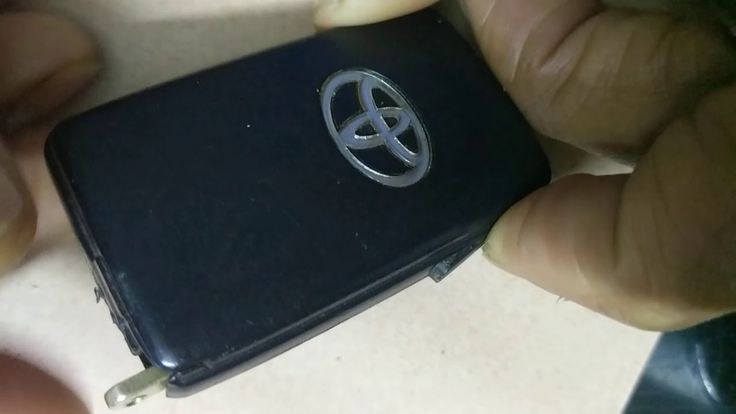
The actual process of learning how to replace key fob battery toyota highlander 2019 is straightforward, thanks to the manufacturer’s design. The key fob is typically split into two halves that are screwed together, making it accessible without specialized technical knowledge. Working on a stable surface allows you to keep track of the tiny internal components and ensures you do not lose the metal key that is attached to the fob. Taking your time during the disassembly phase is crucial to avoid scratching the casing or accidentally releasing the internal spring mechanism. Below is a summary of the general procedure to follow:
| Step | Action | Detail |
|---|---|---|
| 1 | Remove the Mechanical Key | Press the release button on the back of the fob and slide the key out. |
| 2 | Open the Fob Housing | Use your screwdriver to gently pry off the metal key ring holder and remove the single Phillips screw securing the back cover. |
| 3 | Access the Battery | Carefully lift off the back cover to reveal the circuit board and the battery slot. |
| 4 | Replace the Battery | Note the orientation of the old battery (+ side up) and insert the new CR2032 battery in the same slot. |
| 5 | Reassemble | Place the back cover back on, secure the screw, and reinsert the mechanical key. |
Proper Battery Orientation
One of the most critical details in this process is ensuring the new battery is inserted with the correct polarity. Inside the key fob cover, you will see a small diagram indicating the correct orientation, usually marked with a "+" symbol. Installing the battery backwards can potentially damage the circuit board or cause the fob to malfunction entirely. Carefully aligning the battery before snapping the cover back into place ensures that the electrical current flows correctly and that the remote locking and unlocking features function immediately. Double-checking this step saves you the trouble of reopening the device if the fob does not work after assembly.


Once the battery is securely in place and the casing is reassembled, you should test the functionality of the key fob immediately. Stand at a normal driving distance and press the lock and unlock buttons to confirm that the Highlander responds as expected. If the doors do not react, it is likely due to incorrect battery installation or a faulty connection during the reassembly process. In rare cases, if the fob still does not function after following these steps correctly, the issue may lie with the internal circuit board, and you should consult a Toyota certified mechanic. However, the vast majority of DIY replacements are successful and provide years of reliable service.
Long-Term Benefits of DIY Maintenance
Learning how to replace key fob battery toyota highlander 2019 models yourself offers significant financial and practical benefits. Dealerships and independent shops often charge a premium for such a simple task, adding an unnecessary expense to your annual vehicle upkeep. By performing this maintenance at home, you retain full control over the quality of the battery used and avoid the inconvenience of scheduling an appointment. Furthermore, understanding this process builds confidence in handling other minor vehicle maintenance tasks, fostering a greater sense of ownership and self-reliance. This simple act of maintenance ensures that your Highlander remains secure and accessible, whether you are rushing to work or arriving home late at night.


Related Articles

How to Replace the Battery in a 2015 Toyota Camry Key Fob: Easy Step-by-Step Guide
For the 2015 Toyota Camry owner, the key fob is more than a piece of plastic; it is the digital bloodline to your vehicle. When the reassuring chirp of the...

2019 Toyota Corolla Battery Price: Cost Guide & Replacement Tips
Understanding the Toyota Corolla 2019 battery price is essential for any owner looking to maintain their vehicle's reliability. The 1.8-liter model, standard...
Toyota GT86 Key Fob Battery Replacement: Easy & Affordable Guide
Owning a Toyota GT86 means embracing a driving experience built on precision, balance, and a manual transmission that puts the driver in control. Consequently...
How to Change Key Fob Battery Toyota GR86: Quick & Easy Guide
Changing the key fob battery in your Toyota GR86 is a straightforward maintenance task that ensures you never get locked out unexpectedly. This simple...
New Toyota Car Key Battery: Easy Replacement Guide
Finding the right new battery for your Toyota car key is a critical task for any vehicle owner. A failing key fob can lead to frustrating situations, such as...

Toyota Highlander Floor Mats: Premium Fit & Easy Install Guide
Choosing the right accessories for your Toyota Highlander is essential for protecting your investment and maintaining the vehicle's resale value. Among the...