Toyota Corolla Key Fob Battery: Easy Replacement & Programming Guide
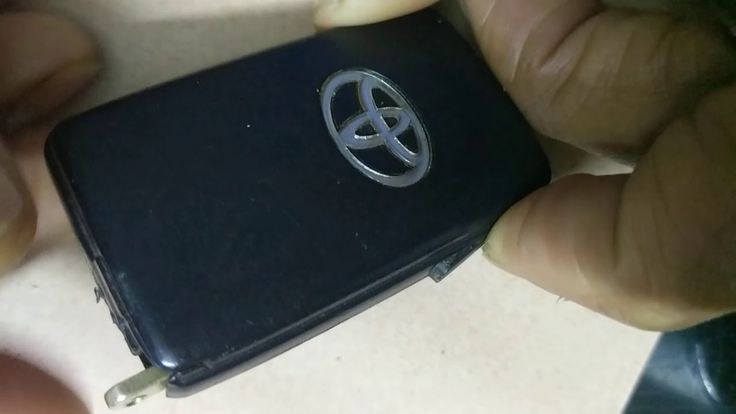
For the Toyota Corolla owner, the humble key fob is the unsung hero of daily convenience. It provides the immediate access and security that modern driving demands, from locking doors to arming the alarm system. When this small device suddenly fails to respond, it can disrupt your entire day, making understanding the Toyota Corolla car fob battery an essential part of vehicle ownership.
Identifying a Failing Key Fob
The signs of a weak battery are often subtle at first but become impossible to ignore. You might find yourself pressing the button multiple times before the doors actually lock, or noticing a significantly reduced range where the fob used to work from across the street. The most definitive symptom is a complete lack of response; if pressing the button yields no light or sound, the battery is likely at the end of its life and requires immediate replacement.
Choosing the Correct Battery Type
Not all batteries are created equal, and using the wrong one can lead to malfunctions or damage to the fob's delicate circuitry. Toyota Corolla key fobs typically utilize a specific, widely available coin cell battery. To ensure compatibility and optimal performance, you should always look for the CR2032 specification. This 3-volt lithium coin battery is the industry standard for most modern Toyota keyless entry systems.


Recommended Battery Specifications
| Battery Model | Voltage | Typical Lifespan |
| CR2032 | 3 volts | 3 to 5 years |
The Step-by-Step Replacement Process
Replacing the Toyota Corolla car fob battery is a straightforward task that requires minimal tools and technical knowledge. With a fresh battery, you can restore the full functionality of your key fob without the expense of a dealership visit. The process is designed to be user-friendly, but it requires attention to detail to avoid damaging the plastic casing.
Tools You Will Need
- Small Phillips head screwdriver or a coin (for prying)
- New CR2032 battery (confirm compatibility with your model year)
- A clean, flat workspace with good lighting
- Soft cloth to protect the fob surface
Step-by-Step Instructions
Begin by locating the small seam on the back of the fob. Insert the screwdriver or coin into this seam and apply gentle pressure to pop the two halves apart. Carefully separate the circuit board from the battery holder, taking note of the orientation of the old battery. It is crucial to insert the new CR2032 battery with the positive side facing up; installing it backwards can cause permanent damage. Once seated, press the two halves together firmly until they click, ensuring the seal is tight to keep out moisture and debris.


Maximizing Fob Longevity
While the battery is the heart of the fob, the housing and buttons also endure wear and tear. To extend the life of your Toyota Corolla key fob, avoid dropping it onto hard surfaces, as this can crack the casing or dislodge internal components. Periodically wiping down the fob with a dry cloth prevents dust buildup around the buttons, ensuring smooth operation and consistent contact with the vehicle's receiver.
When to Seek Professional Help
If you follow the replacement steps and the fob still does not function, it may indicate a more complex issue beyond the battery. Water damage from a leaking roof or a dropped fob that has broken its internal casing requires professional assessment. In these scenarios, contacting a Toyota dealership or a certified automotive locksmith is the most reliable way to ensure your security and access systems remain fully operational.




Related Articles

2019 Toyota Corolla Battery Price: Cost Guide & Replacement Tips
Understanding the Toyota Corolla 2019 battery price is essential for any owner looking to maintain their vehicle's reliability. The 1.8-liter model, standard...
Toyota GT86 Key Fob Battery Replacement: Easy & Affordable Guide
Owning a Toyota GT86 means embracing a driving experience built on precision, balance, and a manual transmission that puts the driver in control. Consequently...
New Toyota Car Key Battery: Easy Replacement Guide
Finding the right new battery for your Toyota car key is a critical task for any vehicle owner. A failing key fob can lead to frustrating situations, such as...

Toyota Corolla Hybrid Battery Replacement Cost: 2024 Price Guide
Owning a Toyota Corolla Hybrid is often seen as a smart financial decision, blending reliability with excellent fuel economy. However, like all vehicles, it...

2024 BMW Key Battery: Easy Replacement & Programming Guide
Getting locked out of your BMW because of a dead key battery is one of the most frustrating experiences for any driver. While modern BMW key fobs are...

Toyota Key Fob Buttons: Easy Replacement & Programming Guide
The Toyota key fob is the modern, electronic key to your world, offering a surprising amount of functionality beyond just locking and unlocking your doors...