2018 Toyota Highlander Key Fob Battery: Easy Replacement Guide
Owners of the 2018 Toyota Highlander often rely on the convenience of their key fob for daily access and ignition. When the system fails to respond, the immediate cause is usually a depleted coin-cell battery. Understanding the specific requirements and process for changing this battery ensures the remote entry and panic functions remain operational without delay.
Identifying a Failing Key Fob
Recognizing the signs of a weak battery is the first step in maintaining the security and convenience of your vehicle. Diminished range, where the fob must be held close to the door to work, is a primary indicator of power loss. Additionally, inconsistent performance, such as the fob working sporadically or failing to unlock the doors entirely, suggests the battery is nearing the end of its lifespan.
Symptoms to Watch For
- Reduced operating distance from the vehicle.
- Requiring precise button presses for functionality.
- Dashboard warning lights related to the security or key system.
- Complete failure to respond when buttons are pressed.
Tools and Battery Specifications
Replacing the battery is a straightforward task that requires minimal tools and the correct component. You will need a small Phillips head screwdriver or a sturdy coin to access the battery compartment. The 2018 Highlander key fod uses a standard CR2032 3V lithium coin battery, which is widely available at pharmacies, auto parts stores, and online retailers.


| Component | Specification |
|---|---|
| Battery Model | CR2032 |
| Voltage | 3 Volts |
| Battery Type | Lithium Coin Cell |
Step-by-Step Replacement Guide
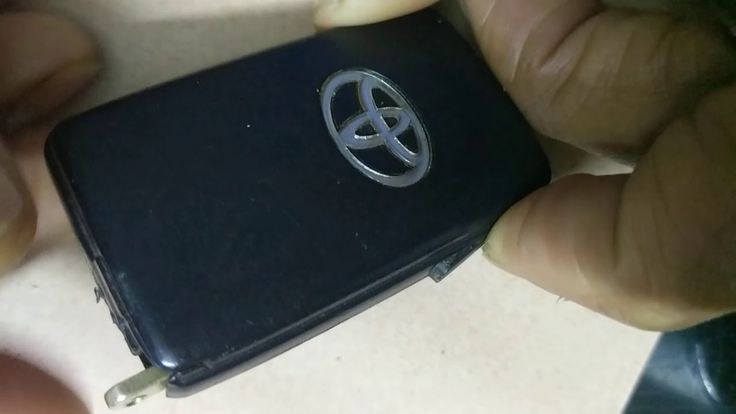
To replace the battery, locate the small release button on the back of the key fob. Pressing this button allows you to slide off the protective key ring and access the hidden screw. Using your screwdriver, carefully remove the screw to reveal the battery compartment, taking care not to damage the housing.
Once the compartment is open, note the orientation of the old battery. The positive side, usually marked with a "+" symbol, will be facing up. Gently pry out the old cell using the edge of the screwdriver. Insert the new CR2032 battery with the positive side facing up, ensuring it sits flush against the contact points.


Reassembly and Testing
With the new battery in place, carefully align the two halves of the key fob. Apply firm, even pressure until you hear a distinct click, indicating the case has securely snapped back together. Reinsert the screw and tighten it gently to avoid stripping the threads.
After reassembly, test the fob by approaching the vehicle and pressing the unlock button. If the doors respond immediately, the replacement was successful. You should now have full range and functionality for your remote entry system.
Maintenance Tips
The battery in the key fob typically lasts between three to five years, depending on usage frequency. Extreme temperatures, particularly excessive heat, can accelerate battery drain. If the fob is not used for extended periods, consider removing the battery to prevent potential leakage and corrosion inside the device.


Professional Support Options
If you are uncomfortable performing the replacement or encounter difficulties during the process, Toyota dealerships and independent automotive service centers can assist. They can program a new key fob if necessary and ensure the system is calibrated correctly. This option provides peace of mind for owners who prioritize dealer-level service for their Highlander.




Related Articles
Toyota GT86 Key Fob Battery Replacement: Easy & Affordable Guide
Owning a Toyota GT86 means embracing a driving experience built on precision, balance, and a manual transmission that puts the driver in control. Consequently...

2018 Toyota RAV4 Cabin Air Filter: Air Flow Direction & Easy Replacement Guide
Understanding the 2018 Toyota Rav4 cabin air filter air flow direction is a critical detail for ensuring optimal in-cabin air quality and HVAC system...

New Toyota Car Key Battery: Easy Replacement Guide
Finding the right new battery for your Toyota car key is a critical task for any vehicle owner. A failing key fob can lead to frustrating situations, such as...

2018 Toyota Prius Front Bumper: Fit, Guide & Replacement Tips
The 2018 Toyota Prius front bumper represents a critical component of the vehicle's iconic design and functional engineering. This specific bumper assembly is...

2019 Toyota Corolla Battery Price: Cost Guide & Replacement Tips
Understanding the Toyota Corolla 2019 battery price is essential for any owner looking to maintain their vehicle's reliability. The 1.8-liter model, standard...
How to Change Key Fob Battery Toyota GR86: Quick & Easy Guide
Changing the key fob battery in your Toyota GR86 is a straightforward maintenance task that ensures you never get locked out unexpectedly. This simple...